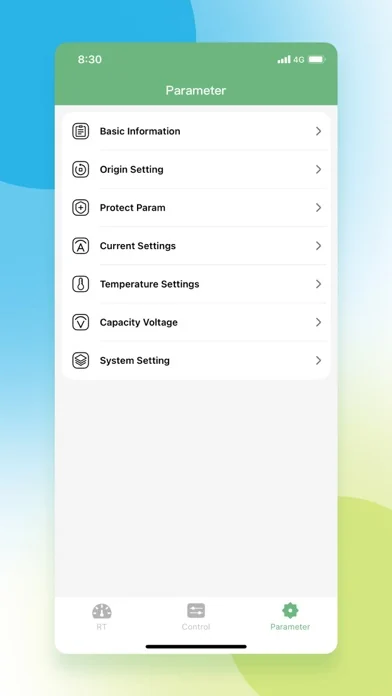
What a battery BMS actually does
A lithium battery pack contains cells that never behave exactly alike. The BMS compares those cells, enforces configured limits, and controls charge or discharge switches. This is why a BMS is both a monitoring device and a protection controller.
- Cell-level voltage measurement
- Charge and discharge over-current protection
- High and low temperature protection
- Cell balancing on supported hardware
The main values a BMS monitors
The most useful readings are individual cell voltage, total pack voltage, current, temperature, state of charge, cycle count, and active alarms. A large cell-voltage difference can matter even when total pack voltage looks normal.
- Cell minimum and maximum
- Pack voltage and current
- Temperature sensors
- Protection and warning flags
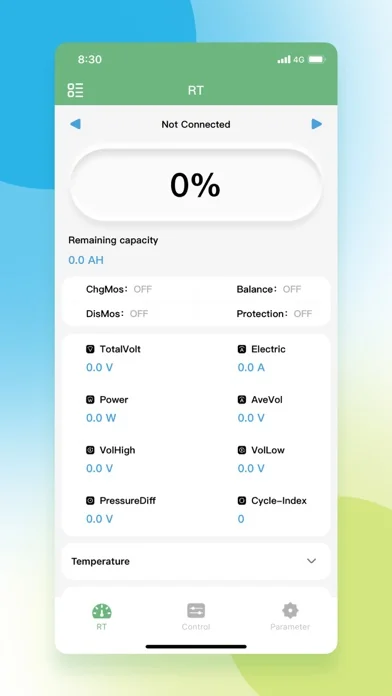
How Bluetooth BMS apps fit into the system
The physical BMS is connected to cells, sensors, and power switching components. A phone app connects over Bluetooth to read the values the controller exposes. If the hardware is asleep, incompatible, out of range, or not powered, installing another app version may not solve the connection.
- Hardware BMS: measures and controls the pack
- Bluetooth module: transports controller data
- BAT BMS app: displays supported data and settings
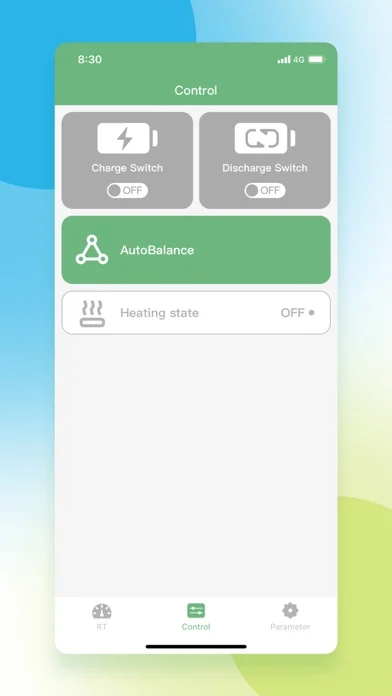
How to read BAT BMS data without guessing
Start with pack voltage, then compare highest and lowest cell voltage, temperature sensors, current direction, and alarm flags. Compare readings over time instead of treating one screenshot as a complete diagnosis.
- Check whether current is positive or negative
- Look for one cell separating from the group
- Treat alarm text as the starting clue
- Avoid changing protection thresholds without the battery specification
BMS limits and common misconceptions
A BMS cannot repair a damaged cell, correct wrong wiring, make an incompatible charger safe, or guarantee that a battery is healthy. State-of-charge percentages may drift if capacity settings or current calibration are wrong.
- Not a battery repair tool
- Not proof that every cell is healthy
- Not universally compatible with every Bluetooth BMS
- Not a substitute for a fuse, charger limits, or safe wiring
A simple first-check workflow
Confirm the battery and BMS are powered, keep the phone close, enable required Bluetooth permissions, select the correct device, and record the alarm and cell-voltage screens before changing settings.
- Power and wake the pack
- Verify phone permissions
- Connect at close range
- Capture readings before editing settings
Battery BMS FAQ
Is a BMS the same as the BAT BMS app?
No. The BMS is the physical controller attached to the battery. BAT BMS is a compatible mobile interface that can display controller data and settings.
Does every lithium battery need a BMS?
Most rechargeable lithium packs need appropriate monitoring and protection, but the design depends on chemistry, cell count, current, charger, and application. Follow the battery or equipment manufacturer specification.
Why can total voltage look normal when one cell is bad?
Pack voltage is the sum of all cells. One low cell can be partly hidden by other higher cells, which is why cell-by-cell readings are important.
Can a BMS balance cells while charging?
Many BMS units use passive balancing near a configured voltage, but behavior varies by model. Check the hardware documentation rather than assuming balancing is always active.
What should I check first when BAT BMS will not connect?
Confirm the pack is powered and awake, move close to it, enable Bluetooth or nearby-device permission, and verify that the hardware is supported before changing app versions or protection settings.
References
- Texas Instruments — Battery management systems overview - Technical overview of battery monitoring and protection functions.
- BAT BMS Android guide - Site guide for app source, permissions and installation checks.