BAT BMS Download for Android and iOS

Use BAT BMS Wiki to reach verified app pages, compare the latest Android and iOS version facts, and set up Bluetooth battery monitoring without guessing which download source to trust. This companion app works with compatible battery management systems, so the page focuses on accurate store links, setup guidance, compatibility notes, and safe update habits.

BAT BMS Wiki battery app download logo

BAT BMS

Android: 1.1.0 | iOS: 1.1.3 Android: 7.0 MB | iOS: 9.2 MB Checked July 6, 2026
Get BAT BMS on Google Play Download BAT BMS from the App Store View BAT BMS Android Version History

External store links open after a 15-second countdown. This site does not host modified APK files.

App Name
BAT BMS
Android Version
1.1.0
iOS Version
1.1.3
Package
com.bms.grenergy
Developer
SHENZHEN GRENERGY TECHNOLOGY CO.LTD.
Category
Tools / Battery Monitoring
Price
Free
Source Check
Google Play, App Store, APKPure
Real BAT BMS app screenshot showing RT monitoring dashboard

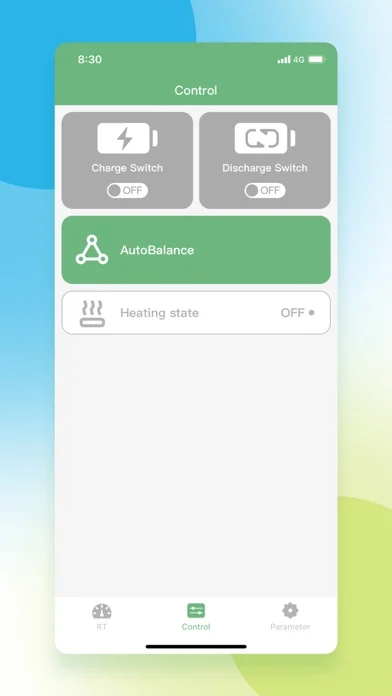
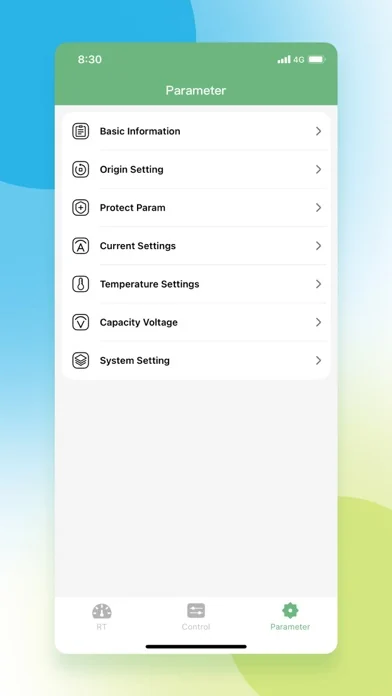
Real BAT BMS App Screenshots

These real App Store screenshots show BAT BMS monitoring, control, and parameter screens so users can recognize the app before connecting compatible hardware.

Real BAT BMS RT monitoring screenshot from the App Store listing
Real BAT BMS control screen screenshot from the App Store listing
Real BAT BMS parameter screen screenshot from the App Store listing

How to Download and Install BAT BMS

Step 1

Choose the verified BAT BMS source

Start with the Google Play page for Android or the App Store page for iPhone and iPad. If Google Play is unavailable in your region or on your device, use the Android version-history link only to review version data before deciding whether an APK source is appropriate. The safest download habit is to avoid renamed, modified, or bundled files that do not match the com.bms.grenergy package.

Step 2

Install the BAT BMS app and grant only needed permissions

After the app is installed, open it near the battery pack you want to monitor. Bluetooth access is normally required because the phone communicates with compatible hardware over Bluetooth. If Android asks for nearby-device or location-related Bluetooth permission, grant it only for the setup flow and review the permission screen before continuing.

Step 3

Pair with compatible BMS hardware

Turn on the battery pack or module, make sure Bluetooth is available, and let the app scan for the device. Select the matching identifier, wait for the battery data to refresh, and confirm that pack voltage, cell readings, temperature, and status values look plausible. If no device appears, move closer, restart Bluetooth, and confirm that the hardware model is supported.

What is BAT BMS?

BAT BMS is a battery management companion app for users who need to view live information from compatible hardware. A typical setup can show pack voltage, cell voltage, current, temperature, protection status, state of charge, and connection details. That makes the app useful for e-bike builders, solar battery owners, portable power users, repair technicians, and anyone who wants a clearer view of a lithium battery pack. This site is not the developer and does not replace the official store pages. Instead, the download guide collects verified Android and iOS routes, explains what each version fact means, and helps users avoid confusing mirror pages. If you came here searching for BAT BMS download, APK details, or app setup, the most important step is to match the source with your device and then confirm that your actual hardware can connect.
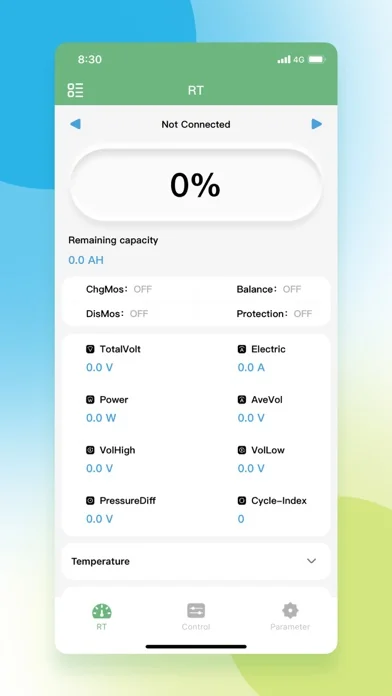
Real BAT BMS RT monitoring screenshot with battery voltage and status information

Latest BAT BMS version facts

The Android listing on Google Play identifies the package as com.bms.grenergy and the developer as SHENZHEN GRENERGY TECHNOLOGY CO.LTD. APKPure currently lists Android version 1.1.0 with a 7.0 MB file size and an update date of July 3, 2026. The Apple App Store currently lists iOS version 1.1.3, a 9.2 MB app size, and iOS 12.0 or later support. These facts were checked on July 6, 2026. Because app stores can update at any time, use the store buttons above as the final source before installing. This page deliberately avoids claiming that a third-party APK is official, scanned, or safer than a store install unless the source itself supports that claim.

Real BAT BMS control screen screenshot from the App Store listing

Why use BAT BMS for battery monitoring?

A compatible management board can protect a battery pack, but the app makes the protection data visible. Users can check whether cells are balanced, whether temperature readings are normal, and whether the pack is charging or discharging as expected. The app is especially helpful after a battery rebuild, before a long ride, after storage, or when diagnosing a sudden shutdown. It is still only a monitoring interface, not a substitute for electrical knowledge or hardware safety checks. Treat readings as signals to investigate: if a cell group is far out of range, if temperature is high, or if protection status changes repeatedly, stop using the pack and inspect the battery system before charging or loading it again.

Real BAT BMS parameter screen screenshot for checking battery settings

BAT BMS APK and Android install cautions

Many people search for BAT BMS APK because their phone cannot access Google Play, their Android device has no Play Services, or they want an older version. That search intent is understandable, but APK files deserve extra care. Before installing a sideloaded file, compare the package name, version number, file size, and update date with a known source. Avoid pages that bundle the app with unrelated installers, force notification permissions, or use names that look close but not identical. If you sideload, keep a copy of the source URL and update notes so you can trace where the file came from later. When Play Store access is available, Google Play is the cleaner route for most Android users.

Real BAT BMS app screenshot used for battery monitoring

Compatibility and troubleshooting

BAT BMS compatibility depends on both the phone and the battery management hardware. The iOS App Store page lists iPhone, iPad, and iPod touch support on iOS 12.0 or later, while Android availability may vary by device and region on Google Play. If the app installs but cannot connect, confirm Bluetooth is enabled, bring the phone closer to the battery, power-cycle the module if the hardware manual allows it, and close any other app that might already be connected. If values look stale, disconnect and reconnect before making decisions. Never charge or discharge a battery based only on a suspicious app reading; verify with hardware tools and the battery manufacturer's guidance when safety is involved.

Real BAT BMS control screen screenshot for troubleshooting battery connection data

BAT BMS FAQ

Where can I download BAT BMS?

The primary BAT BMS download options are the Google Play listing for Android and the Apple App Store listing for iOS. This guide links to those verified store pages and also links to an Android version-history page so users can compare APK version facts before installing from a third-party source.

What is the latest BAT BMS Android version?

As checked on July 6, 2026, APKPure lists BAT BMS Android version 1.1.0 with a 7.0 MB file size and an update date of July 3, 2026. Google Play shows the app under package com.bms.grenergy by SHENZHEN GRENERGY TECHNOLOGY CO.LTD. Check the store page again before installing because the listing can update after this page is published.

What is the latest BAT BMS iOS version?

As checked on July 6, 2026, the Apple App Store lists BAT BMS version 1.1.3, a 9.2 MB app size, and iOS 12.0 or later support. Use the App Store button on this page to confirm the current BAT BMS version for your country or device.

Is BAT BMS Wiki the official BAT BMS developer?

No. BAT BMS Wiki is an independent download guide and information site. The app listing names SHENZHEN GRENERGY TECHNOLOGY CO.LTD. as the developer. This site does not claim affiliation, ownership, or official support status.

Do I need Bluetooth for BAT BMS?

Yes, BAT BMS is used to view data from compatible hardware, and that connection commonly depends on Bluetooth. If the app cannot find your battery management system, check Bluetooth permissions, distance, hardware power, and whether another phone is already connected.

Is a BAT BMS APK safe to install?

A BAT BMS APK should be treated like any sideloaded Android file: verify the package name, version, file size, and source before installing. This site does not host modified APK files or make unsupported malware-scan claims. When available, Google Play is the safer and simpler download route.

Can BAT BMS fix battery problems?

BAT BMS can help you observe battery data, but it cannot physically repair a bad cell, damaged wiring, or unsafe charging setup. If the app shows unusual voltage, temperature, or protection warnings, pause use and inspect the battery system with proper tools or qualified help.

Why does BAT BMS show different data than my charger or multimeter?

Small differences can happen because BAT BMS reads values reported by the hardware, while a charger or multimeter measures at a different point in the system. Large differences should be treated carefully: reconnect the app, check the hardware, and avoid charging or loading the pack until the cause is clear.