1. What does a lithium battery BMS reset mean?
BMS reset can mean waking a pack after low-voltage protection, clearing a temporary latch, restarting communication or recalibrating displayed state of charge. These actions are not interchangeable. Automotive 12 V battery-monitor instructions, power-tool methods and solar-battery procedures may be unsafe for another lithium pack.
Diagnose before forcing the pack online. Record total voltage, individual cells, temperatures, current, charge and discharge state, and protection text. If the app cannot connect, check power, Bluetooth permission and distance before assuming the BMS needs a reset.
- A reset does not repair a weak cell, failed sensor or wiring fault.
- Identify undervoltage, overvoltage, overcurrent or temperature protection first.
- Use only the manufacturer’s documented wake-up procedure.
2. Stop before resetting when these warning signs appear
Disconnect normal loads and charging equipment only when safe, then inspect the enclosure without opening a sealed pack. Heat, swelling, electrolyte odor, melted insulation, impact damage or water intrusion are reasons to stop and follow the product emergency guidance.
A reset can restore voltage at the output terminals. Re-energizing a damaged pack may also restore current into a failed cable, controller or cell group, so inspection and measurements come before wake-up.
3. Read BAT BMS before trying recovery
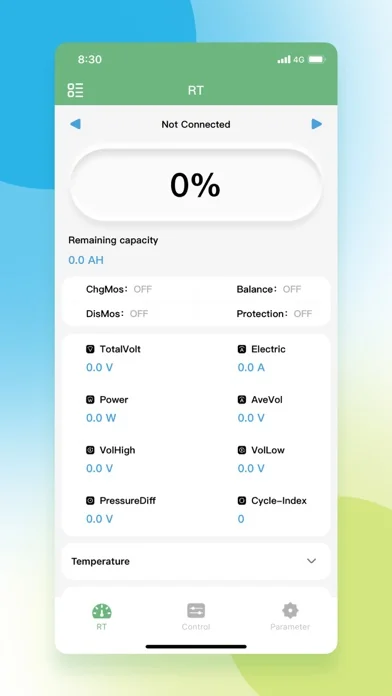
Open BAT BMS while protection is still visible. Capture total voltage, cell voltages, temperature, current, remaining capacity, charge/discharge switch state and warnings. The before-state helps separate a temporary event from a persistent fault.
Compare the cell pattern with pack voltage. A missing, zero or implausible channel may indicate a sense-wire or connector fault. Cell spread is evidence to investigate, not permission to change protection thresholds.
4. Safe BMS recovery sequence
Remove the trigger first: disconnect excessive load, return the battery to its approved temperature, correct charger voltage or stop charging when a cell is high. Wait for the delay stated in the battery manual.
Use only the exact documented wake method, such as an approved charger, physical button, service switch or authorized command. After output returns, reconnect one device at a time and watch readings for several minutes.
- Identify undervoltage, overvoltage, overcurrent or temperature protection first.
- Use only the manufacturer’s documented wake-up procedure.
- Stop if the pack is swollen, unusually hot, leaking, damaged or smells abnormal.
5. Parameters and passwords are not a reset shortcut
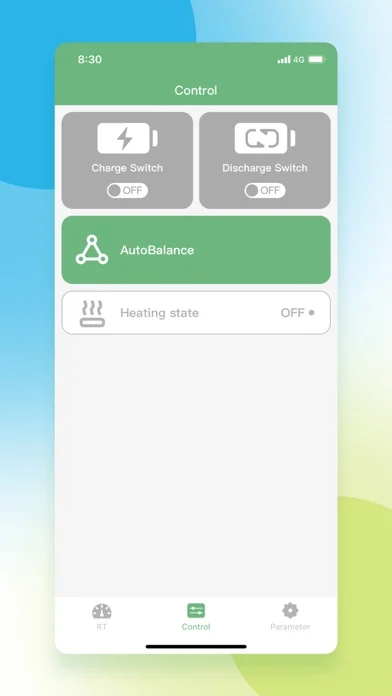
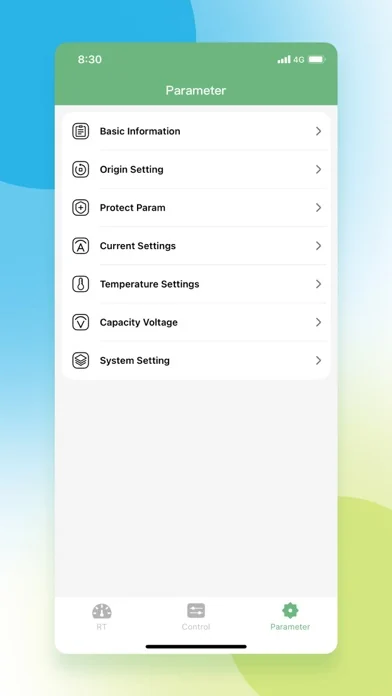
Control and Parameter pages may expose critical limits. Raising voltage, current, temperature or balance thresholds to clear a warning can remove the protection that prevented a more serious failure.
A password found in a forum or video does not prove that settings apply to your battery. Request the matching parameter sheet and restore point; otherwise leave original values unchanged.
6. When the BMS needs service instead of a reset
Repeated shutdown under modest load, a rapidly drifting cell, missing temperature data, unstable Bluetooth power or a large difference between measured and reported voltage can indicate hardware or wiring trouble.
Give a technician the battery model, BMS model, chemistry, series count, charger specification, event timeline and before/after screenshots. Evidence reduces unsafe trial and error.
Lithium Battery BMS Reset: Check the Cause Before You Reset FAQ
What does a lithium battery BMS reset mean??
BMS reset can mean waking a pack after low-voltage protection, clearing a temporary latch, restarting communication or recalibrating displayed state of charge. These actions are not interchangeable. Automotive 12 V battery-monitor instructions, power-tool methods and solar-battery procedures may be unsafe for another lithium pack.
Read BAT BMS before trying recovery?
Open BAT BMS while protection is still visible. Capture total voltage, cell voltages, temperature, current, remaining capacity, charge/discharge switch state and warnings. The before-state helps separate a temporary event from a persistent fault.
Safe BMS recovery sequence?
Use only the exact documented wake method, such as an approved charger, physical button, service switch or authorized command. After output returns, reconnect one device at a time and watch readings for several minutes.
Parameters and passwords are not a reset shortcut?
Control and Parameter pages may expose critical limits. Raising voltage, current, temperature or balance thresholds to clear a warning can remove the protection that prevented a more serious failure.
When the BMS needs service instead of a reset?
Repeated shutdown under modest load, a rapidly drifting cell, missing temperature data, unstable Bluetooth power or a large difference between measured and reported voltage can indicate hardware or wiring trouble.
Official and technical references
- Texas Instruments battery protection reference - Cell monitoring, balancing and protection fundamentals.
- BAT BMS on Google Play - Official Android app identity and package reference.
- BAT-BMS on Apple App Store - Official iOS listing and compatibility reference.